
myMetro®
Metro by T-MobileCommunication
4.7129.10K Reviews
- Version
- 12.4.0
- Installs
- 100.00M
- Age Rating
- Everyone
Screenshots
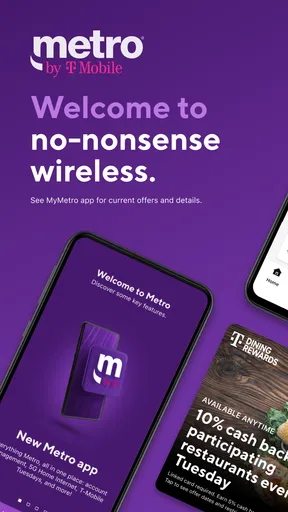
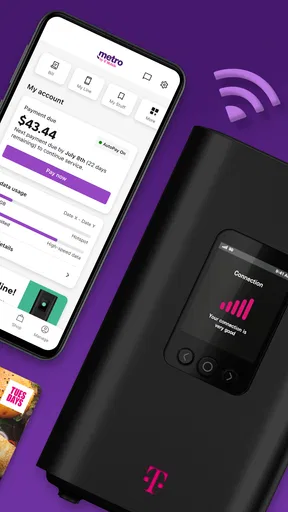
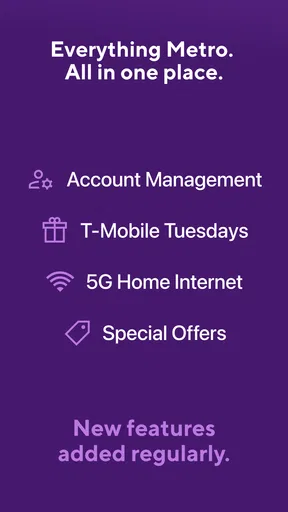
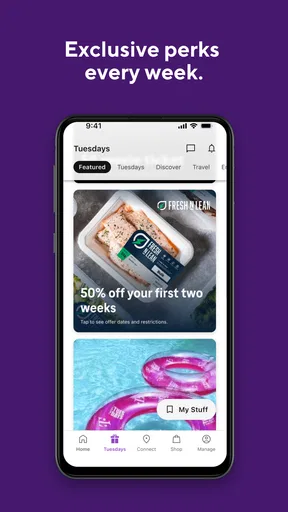
Our Review of myMetro®
 Analysis by Appyee
Hey there! So, you’re thinking about diving into the world of myMetro®? Let me give you the lowdown on what this app is all about. I’ve spent some time poking around, and I’m here to share my experience with you.
Who gets the most from it?
I’d consider this a practical companion for people who already use Metro by T-Mobile and want a direct route to routine account tasks. It is a communication app rather than a replacement for texting, calls, or a general-purpose messaging service: its value is in helping you manage the service behind your phone. If you handle your own bill, keep an eye on mobile data, or make occasional changes to your plan, having those tasks together can save you from switching between a browser, a phone call, and a store visit.
The fit is less compelling if you use another carrier, are shopping around without an account, or want a single dashboard that manages several providers. In those cases, your carrier’s own tools are likely to be more relevant, and myMetro is not a general account manager. I’d also keep expectations modest about customer support: an in-app route can be convenient, but it does not mean every issue can be resolved instantly or without a conversation.
Metro by T-Mobile is the developer, and the app is free. It has an Everyone age rating, so its audience is broad, while the account-management purpose is specifically useful to Metro customers. Its 4.7 average from around 585,000 ratings and more than 100 million installs suggest that many people use it, though popularity alone cannot tell you whether it suits your particular account habits. The current version is 11.7.1, and it first appeared on March 3, 2014.
A Handy Tool for MetroPCS Users
If you’re a MetroPCS user, you’re probably familiar with the occasional hassle of managing your account. Well, myMetro® is here to make that process a whole lot easier. It’s like having a personal assistant for your phone plan, right at your fingertips.
Getting Started
First things first, downloading and setting up the app is a breeze. You can grab it from the Google Play Store or the Apple App Store. Once you’ve got it installed, logging in is straightforward. Just use your MetroPCS credentials, and you’re good to go!
The interface is pretty intuitive, which I appreciate. No one wants to spend ages figuring out how to navigate an app, right? Everything is laid out in a user-friendly way, making it easy to find what you need.
A repeatable routine for bills and usage
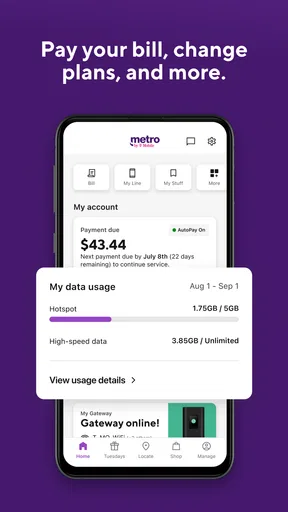
For everyday use, I’d treat this as a quick check-in tool, not something to keep open all day. A useful habit is to review your account when you are already thinking about your phone service: check the bill before paying, then look at data use if your month has included more streaming, navigation, or hotspot activity than usual. That order helps you connect a change in usage with the plan you actually have, instead of making a plan adjustment based on one unusually busy day.
For example, imagine you are about to leave for a weekend trip and expect to use maps and video more than usual. I’d check the usage tracker first, then decide whether to rely on Wi-Fi where available or change the plan through the app if your broader pattern justifies it. The useful part is not simply seeing a number; it is having a chance to make a decision before the next bill. I would still avoid treating a usage display as a guarantee of instant updates or as a substitute for checking the account details relevant to your plan.
Features Galore
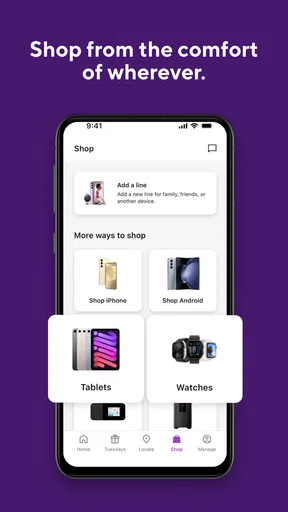
What really sets myMetro® apart is its wealth of features. Need to pay your bill? Check. Want to view your data usage? Check. You can even add new services or change your plan directly from the app. It’s like having the MetroPCS store in your pocket.
One of the coolest features, in my opinion, is the ability to view and pay your bill with just a few taps. Say goodbye to the days of waiting in line or navigating a convoluted website. Plus, you get notifications about payment due dates, which is super handy.
Settings that are worth a quick look
I’d spend a moment getting familiar with the account and notification settings rather than assuming the defaults match your routine. A due-date alert is useful only if it reaches you in time and does not get lost among other phone notifications. If you prefer to manage payments on a particular day, make that a regular calendar habit as well; the app can make paying easier, but a reminder is not the same thing as a completed payment.
Before changing a plan or adding a service, I’d read the choice shown in the app carefully and make sure it matches what you intend to do. A small screen makes it easy to tap through a task quickly, but account changes deserve a pause: confirm the selection and review the resulting account information afterward. This is a simple way to avoid mistaking a plan change for a temporary usage adjustment or overlooking a service you did not mean to add.
Keeping Tabs on Data
If you’re like me and always paranoid about data overages, you’ll love the data usage tracker. It’s updated in real-time, so you can keep an eye on your consumption and avoid any nasty surprises on your next bill.
The app also lets you adjust your data plan if you see that you’re consistently going over. It’s all about giving you control over your phone plan, and myMetro® does this beautifully.
Faster patterns without over-managing
Once you know where the bill, usage, and plan controls are, you can make each visit purposeful. I’d open the app with one question in mind—“Is my payment handled?” or “Has my usage changed enough to act?”—rather than browsing every account screen. That keeps a routine task short and reduces the chance of changing something just because a setting is available.
If you help someone else keep track of their Metro service, agree on who is responsible for checking and paying. A shared routine is more reliable than two people assuming the other has done it. I would not share account credentials casually; account access can include payment and plan controls, so it deserves the same care as other financial or service logins.
Where the convenience has limits
Compared with a carrier website, an app can be quicker for a familiar task because it is already on your phone and organized around account use. Compared with calling support, it is a better first stop for straightforward checks or routine changes, while a person may still be preferable when an issue needs explanation or careful troubleshooting. A retail visit can make more sense when you want face-to-face help. The app is convenient, but it does not make those other routes obsolete.
There are also practical limits to the experience. You need an internet connection to manage an account, and you need to be comfortable signing in on the device you use. If you are on a borrowed phone or have concerns about storing account access on a shared device, a browser or another support route may feel safer. And if a payment or account detail looks unclear, I’d stop and verify it before proceeding rather than tapping through simply to finish quickly.
Streamlined Customer Service
Another standout feature is the customer support access. Whether you need to troubleshoot an issue or have a question about your plan, you can reach out directly through the app. This feature saves you from the dreaded experience of being put on hold for ages.
You can even use the chat function to get real-time assistance. It’s these little touches that make the app feel like it was designed with the user in mind.
Choosing the right support route
I’d start in the app when the question is tied to a visible account task, such as checking a bill or understanding a plan selection. If the problem involves a confusing charge, an account-access issue, or a situation that needs a detailed explanation, chat may be a starting point rather than the whole solution. Keep the relevant account information nearby and describe the issue plainly; that makes any support conversation more focused, whether it begins on your phone or moves to another channel.
One useful distinction is between managing the account and fixing the network experience. The app can help with account-related actions, but it is not a substitute for diagnosing every problem with signal, a device, or service in a particular location. If the issue is that a phone cannot connect, I would first separate that from a billing or plan question so I use the right support path instead of repeatedly checking account screens.
Final Thoughts
All in all, myMetro® does a stellar job of simplifying your mobile life. It’s packed with features, easy to navigate, and genuinely makes managing your MetroPCS account a hassle-free experience. Whether you’re tech-savvy or a bit of a technophobe, this app is designed to cater to everyone.
If you’re a MetroPCS user and haven’t tried myMetro® yet, I’d highly recommend giving it a shot. It’s free to download, and the convenience it offers is well worth the space on your phone. Happy managing!
My verdict after making it a habit
For a Metro customer who wants to take care of bills, data checks, plan choices, and support without making each task a separate project, I think it earns a place on the phone. Its strongest advantage is the way it brings service management close to the moments when you need it: before a payment, after a busy data week, or when you want to ask a question about your account. That is a useful kind of convenience, even if it is less exciting than a feature you use every day.
I would recommend it most to people who are comfortable managing their own account and prefer a quick digital route for routine tasks. If you rarely check your plan, prefer to speak to someone for every change, or do not use Metro by T-Mobile, it may not add much to your routine. For everyone else, a simple habit—check the bill, review usage when your pattern changes, and pause before confirming account changes—makes the app more useful without turning account management into another daily chore.
Privacy and Permissions
See what permissions an app requests and how it handles your data.
- Contacts
- read your contacts, modify your contacts
- Location
- approximate location (network-based), precise location (GPS and network-based)
- Phone
- directly call phone numbers, reroute outgoing calls, read phone status and identity
- Photos/Media/Files
- read the contents of your USB storage, modify or delete the contents of your USB storage
- Storage
- read the contents of your USB storage, modify or delete the contents of your USB storage
- Camera
- take pictures and videos
- Microphone
- record audio
- Wi-Fi connection information
- view Wi-Fi connections
- Device ID & call information
- read phone status and identity
- Other
- view network connections, pair with Bluetooth devices, access Bluetooth settings, change network connectivity, allow Wi-Fi Multicast reception, connect and disconnect from Wi-Fi, disable your screen lock, control flashlight, full network access, change your audio settings, control Near Field Communication, run at startup, reorder running apps, control vibration, prevent device from sleeping
Verdict
Strengths of myMetro®
- User-friendly interface for easy navigation.
- Quick access to account details and billing.
- Real-time data usage tracking available.
- Seamless integration with payment methods.
- Customizable alerts for data and billing.
Limitations of myMetro®
- Limited functionality without internet access.
- Occasional app crashes reported by users.
- Some features require frequent updates.
- In-app ads can be intrusive at times.
- No dark mode option for night use.
Other Releases by Metro by T-Mobile
View All
Visual Voicemail
Business3.6
Similar Picks in This Category
View All
Google Messages
Google LLC4.6

Gmail
Google LLC4.1

Google Meet
Google LLC4.4

Google Chrome
Google LLC4.1

WhatsApp Messenger
WhatsApp LLC4.6

Carrier Services
Google LLC4.2
Frequently Asked Questions
What features does the myMetro® app offer?
The myMetro® app provides a seamless way to manage your MetroPCS account. Users can view their data usage, pay bills, and explore new service plans. It also offers real-time service alerts, personalized offers, and the ability to connect with customer support directly from the app.
Is the myMetro® app secure to use?
Yes, the myMetro® app employs robust security measures to protect your personal information. It uses encryption to safeguard data transmissions and includes features like secure login and password protection to ensure that your account information remains confidential.
Can I use the myMetro® app without an internet connection?
While some features of the myMetro® app may be accessible offline, an internet connection is required for most functionalities, such as checking real-time data usage, making payments, and accessing the latest service updates. Ensure you have an active connection for optimal use.
How can I troubleshoot issues with the myMetro® app?
If you encounter issues with the myMetro® app, try restarting your device or reinstalling the app. Ensure your app is updated to the latest version. For persistent problems, the app provides a direct line to customer support for personalized assistance and troubleshooting.
Is the myMetro® app compatible with all devices?
The myMetro® app is compatible with most Android and iOS devices that meet the system requirements. Ensure your device is running on a supported operating system version. Compatibility details are available on the app’s download page on Google Play and the App Store.
